The Complete Guide to Email Image Personalization for E-Commerce Brands
What Is Email Image Personalisation?
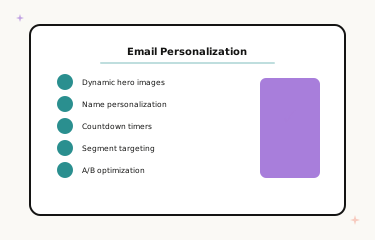
Email image personalisation is the practice of dynamically generating unique images for each subscriber based on their personal data. Instead of sending every subscriber the same static banner, personalised images incorporate the subscriber's name, location data, and other dynamic elements that make each email feel individually created.
For e-commerce brands, personalised images transform email from a broadcasting channel into a personal shopping experience. “Sarah, your weekend deal awaits” in a beautifully designed personalised hero image captures attention in a way that “weekend sale — up to 50% off” simply cannot. The human brain processes images 60,000 times faster than text. When that image also contains the subscriber’s name, it triggers an immediate, visceral sense of personal relevance that drives action at every stage of the funnel.
This guide is the central reference for Driphue’s full personalisation content library. It covers how personalised images work, the business case, the full implementation path from foundation to advanced strategies, and links to every specialist guide across ESP integrations, industry verticals, campaign types, and technical topics.
How Email Image Personalisation Works
Dynamic image personalisation uses URL-based real-time rendering. Your email contains an image URL with personalisation parameters. When a subscriber opens the email, their email client requests the image from the Driphue server, which generates a unique image with the subscriber’s data rendered in real time — all in milliseconds, seamlessly, using a standard image URL.
The subscriber sees a beautifully designed image with their name in it. The sender sends one email template. Driphue handles all rendering complexity behind the scenes. No special technical setup on the ESP side is required beyond appending your ESP’s merge tag syntax to the Driphue image URL.
The technical architecture is robust, fast, and compatible with all major email clients and ESPs. Images render on open, meaning they always reflect the data available at the time of opening — making them an accurate, real-time representation of subscriber information.
The Business Case for Personalisation
Email image personalisation drives measurable revenue, not just engagement metrics. Personalised images consistently produce 25–45% higher click-through rates, 15–30% higher conversion rates, and 30–60% higher email-attributed revenue compared to equivalent static image campaigns. These are not industry averages — they reflect the documented results from brands that have implemented personalisation systematically across their email programmes.
The mechanism is simple: relevance drives action. An email that addresses a subscriber by name in its most visually prominent element — the hero image — immediately signals personal curation. That signal creates higher engagement at every subsequent step: open to click, click to product page, product page to checkout. For a structured ROI framework and calculation guide, see our personalisation ROI measurement guide.
Getting Started: The Foundation
Step 1: Choose Your ESP Integration
Driphue integrates with all major email platforms via URL parameter syntax — each ESP has its own merge tag format, and Driphue supports them all. See the setup guide for your platform: Klaviyo, Mailchimp, Omnisend, ActiveCampaign, HubSpot, Constant Contact, Brevo, GetResponse, Drip, ConvertKit, and AWeber.
Step 2: Connect Your E-Commerce Platform
Your online store is the source of the purchase and behavioural data that powers advanced personalisation — category interest, purchase history, product preferences, and more. Platform-specific integration guides: Shopify and WooCommerce.
Step 3: Design Your First Template in Canva
Start with a simple hero banner featuring first-name personalisation. Design in Canva with your brand’s visual identity — fonts, colours, imagery — and import via Driphue’s Canva integration. A well-designed name personalisation consistently outperforms a complex but poorly designed multi-variable template. Start simple, prove the lift, then build complexity.
Step 4: Configure and Deploy
In Driphue, mark the name text layer as dynamic, assign the parameter name, and append your ESP’s merge tag to the image URL. Embed in your campaign and send. The full syntax guide for every ESP is in our ESP personalisation guide.
Essential Campaign Types for Every E-Commerce Brand
Every e-commerce email programme should have personalised images across five foundational campaign types. These are ordered by implementation priority — start with the first and work through the list.
The welcome series is the highest-leverage starting point: four times the open rates of regular campaigns, first impressions that set the relationship tone, and the window to convert signup intent into first purchase. The cart abandonment sequence recovers revenue that would otherwise be permanently lost — personalised imagery at this moment addresses the specific subscriber and the specific product they left behind. The post-purchase sequence converts one-time buyers into repeat customers through cross-sell, review, and replenishment personalisation. Promotional campaigns benefit from personalised urgency messaging that feels individually relevant. And re-engagement campaigns win back lapsed subscribers with personalised “we miss you” imagery that prompts more return visits than generic re-engagement blasts.
Advanced Personalisation Strategies
Once the five foundational campaign types are running, expand into advanced strategies that deepen personalisation and increase revenue per subscriber. List segmentation routes different subscribers to different personalised templates based on category interest, purchase behaviour, or demographic data. VIP programmes deliver exclusive personalised experiences to your highest-value customers. Birthday and anniversary campaigns create highly personal milestone moments. Location-based personalisation adds geographic relevance to product and weather-based recommendations. And purchase history personalisation powers category-matched imagery, upgrade recommendations, and replenishment reminders.
Data Strategy
The depth of your personalisation is constrained by the depth of your subscriber data. Build a strong data foundation with first-party data from your e-commerce platform — purchase history, browse behaviour, category engagement — and zero-party data collected through quizzes, preference centres, and onboarding surveys. Together, these data sources enable the kind of deep, multi-variable personalisation that produces the strongest revenue results.
Technical Excellence
Personalised images must perform flawlessly across all email clients, devices, and rendering environments to deliver their full impact. Ensure your personalisation programme meets best practices across image load time optimisation, mobile rendering, dark mode design, email client compatibility, and accessibility compliance.
Seasonal Campaign Planning
Seasonal revenue moments are ideal for personalised imagery because gifting urgency, promotional deadlines, and occasion-specific relevance all benefit from the personal touch of a named image. Plan personalised campaigns for: Valentine’s Day, Mother’s Day, summer campaigns, back-to-school, Black Friday, and the full holiday season.
Industry-Specific Strategies
Every e-commerce vertical has unique personalisation opportunities shaped by its product type, purchase cycle, and customer relationship. Specialist guides are available for: fashion, beauty and skincare, food and beverage, home and furniture, pet brands, jewellery, health and wellness, fitness and activewear, electronics and tech, luxury goods, and subscription boxes.
Compliance and Privacy
Personalisation must be built on a compliant, privacy-respecting data foundation. See our GDPR compliance guide for the full framework covering data usage, consent requirements, and privacy-first personalisation practices that protect both your subscribers and your brand.
Measuring and Optimising
Personalisation without measurement is personalisation without accountability. Use A/B testing to establish clear before-and-after baselines, track click-through rate, conversion rate, and email-attributed revenue as your primary metrics, and iterate on template design and data depth based on results. See our guide to A/B testing personalised images for the full testing methodology.
Your 90-Day Implementation Plan
The fastest path from zero personalisation to a fully optimised programme is a structured 90-day implementation: welcome series in weeks one to four, cart abandonment and post-purchase in weeks five to eight, and advanced strategies — segmentation, VIP, seasonal campaigns — in weeks nine to twelve. Follow our detailed 90-day implementation roadmap for the full plan with specific actions, expected results, and milestone benchmarks.
Start your free Driphue trial today and transform your email marketing with personalised images that drive measurable revenue at every stage of the customer journey.
Keep reading
More from the blog
 Email Personalization
The E-commerce Guide to Email Image Personalisation: From First Image to Full Automation
11 min read Email Personalization
Email Image Personalisation Tools Compared: Driphue vs NiftyImages vs Hyperise vs OKZest
10 min read Email Personalization
Email Image Personalization: The Complete Guide for E-Commerce Brands in 2026
8 min read
Personalise every image in your emails
Turn your Klaviyo, Brevo or any-ESP campaigns into dynamic, per-subscriber images and countdown timers — no code required.