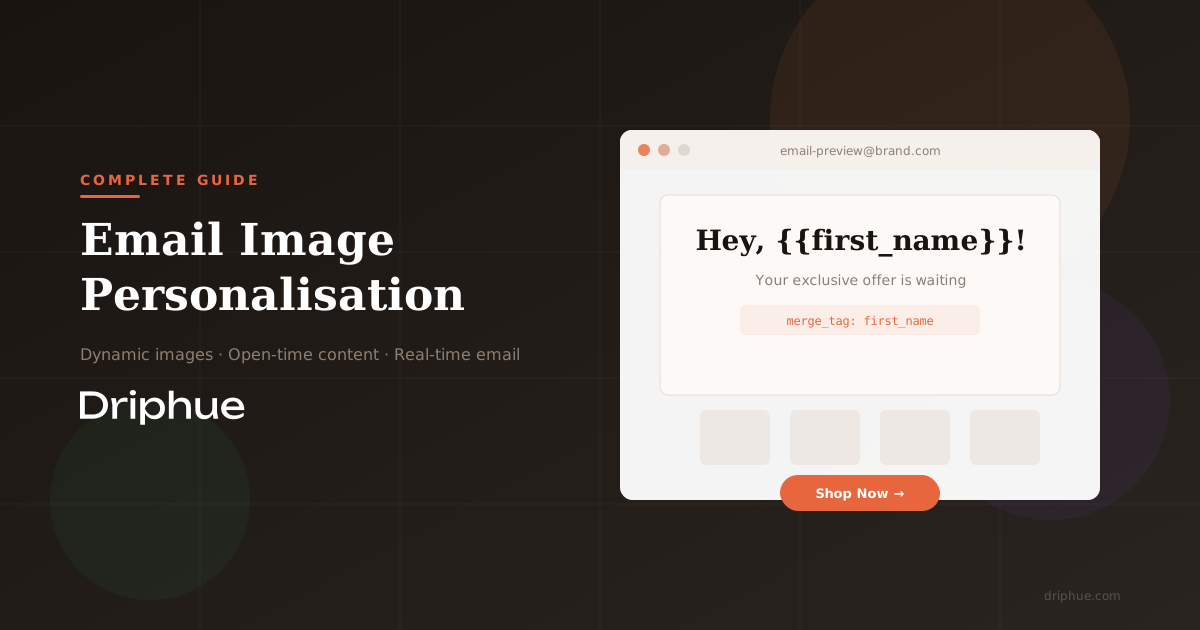
What Is Email Image Personalisation?
Email image personalisation is a technique where the image each subscriber sees is rendered dynamically based on their data. Instead of sending the same static banner to your entire list, each recipient sees a unique visual that includes their name, location, purchase history, or any other data your ESP holds.
The technology works by generating images at the moment the email is opened (or in some cases, at send time). A dynamic image URL contains merge tags that pull subscriber data, and the image server renders a personalised visual in real-time.
The Naming Problem: Dynamic Images, Open-Time Content, and Real-Time Email
One of the biggest challenges in this space is that nobody agrees on what to call it. The same capability goes by at least half a dozen names, depending on who you ask and what platform they use. Understanding these synonyms matters for finding the right tools and for reaching the right audience.
Dynamic images in email is the most commonly used term in ESP documentation and help centres. Klaviyo, Beefree, and most email builders use this language when describing image URLs that accept merge tags or placeholder syntax.
Open-time content and open-time personalisation are terms favoured by enterprise platforms. The idea is that content is fetched and rendered at the moment a subscriber opens the email, not when it is sent. Litmus (which acquired Kickdynamic) and Salesforce Marketing Cloud both use this framing.
Real-time email content and moment-of-open content appear frequently in the context of tools like Movable Ink, which position themselves around delivering live pricing, inventory, polls, and maps at the instant of engagement.
For practical purposes, all of these terms describe variations of the same core idea: the image a subscriber sees is not fixed at send time. Whether you call it dynamic, open-time, or real-time, the underlying mechanics are similar. A URL is constructed with subscriber data, and an image server returns a personalised visual.
How Email Image Personalisation Actually Works
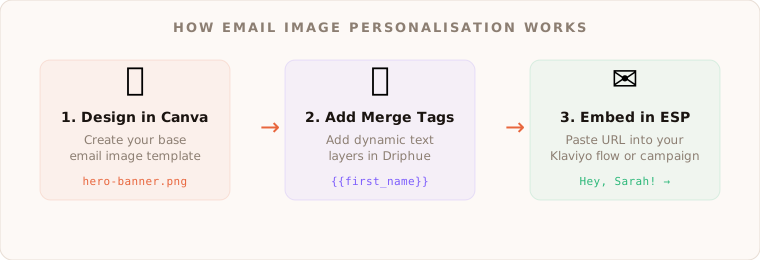
The technical flow behind personalised email images is straightforward once you understand three key components:
1. Design your image template. This is the base visual: your hero banner, promotional graphic, or product showcase. With Driphue, you can import designs directly from Canva, which means you are working with a design tool you already know.
2. Add merge tags to dynamic text layers. Merge tags are placeholders that get replaced with subscriber data. Common examples include first name, city, loyalty points, or product names. In Driphue, you simply add these as text layers on top of your Canva design.
3. Generate a personalised image URL. The URL contains your merge tags in the format your ESP understands. When the email is sent, your ESP replaces the merge tags with actual subscriber data, and the image server renders a unique image for each recipient.
Common Use Cases for E-commerce Brands
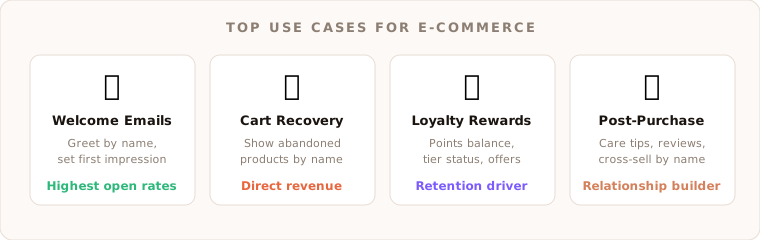
Personalised email images drive measurable results across the entire customer lifecycle. Here are the use cases that deliver the highest impact for e-commerce brands:
Welcome emails are the first touchpoint where personalisation makes a lasting impression. A hero image that greets a new subscriber by name immediately signals that this brand pays attention. Welcome emails already have the highest open rates of any automated flow, and adding visual personalisation compounds that advantage.
Cart abandonment recovery is where personalised images directly translate to revenue. Instead of a generic "you left something behind" message, show the actual product the shopper abandoned with their name on the image. The specificity creates urgency and recognition that plain text simply cannot match.
Loyalty and rewards emails benefit enormously from personalisation. Showing a subscriber their exact points balance, tier status, or a personalised offer makes the email feel like a private communication rather than a mass send.
Post-purchase follow-ups that include the customer name alongside product care tips or review requests feel more thoughtful. This is especially powerful for brands that want to build long-term relationships rather than just drive one-time transactions.
What Real-Time Actually Means and Its Limitations
Here is where many tools overpromise and most blog posts stay silent: real-time email content does not always work the way you would expect. Two major technical constraints shape what is actually possible.
Apple Mail Privacy Protection (MPP) was introduced in iOS 15 and fundamentally changed how dynamic email content works for Apple Mail users. MPP pre-fetches and caches email content, including images, through Apple proxy servers. This means that when a subscriber opens the email later, they may see the cached version rather than a freshly rendered image.
Gmail image caching is the other major constraint. Gmail routes images through its own proxy and caches them. Subsequent opens of the same email may show the cached image rather than making a fresh request to your image server. For a deep dive into how this works and practical workarounds, read our guide to Gmail image caching and dynamic emails.
These are not reasons to avoid personalised images. They are reasons to design them intelligently. Name-based personalisation (which is set at send time) works perfectly regardless of caching. The constraints primarily affect content that needs to change between the first and subsequent opens, such as live inventory counts.
How to Choose the Right Email Image Personalisation Tool
When evaluating tools for email image personalisation, here is what matters most:
Design workflow: How easy is it to create good-looking personalised images? Some tools require you to build everything in a proprietary editor. Others, like Driphue, let you import existing designs from Canva, which means your marketing team can work with tools they already know.
ESP compatibility: The tool needs to work with your email service provider. Look for native merge tag support for your ESP, not just a generic URL builder. Driphue works with all major ESPs including Klaviyo, Mailchimp, HubSpot, ActiveCampaign, and many more.
Pricing transparency: Tools in this space use wildly different pricing units. Some charge per image generated (tied to opens), others per seat, others per impression. Make sure you understand what you are actually paying for. If you are comparing specific tools, our NiftyImages vs Driphue comparison breaks down how pricing and features stack up for e-commerce brands.
Analytics: At minimum, you need to see how many times your personalised images are being viewed. Driphue tracks image views so you know whether your personalisation is reaching subscribers.
Caching awareness: Does the tool acknowledge and help you work around MPP and Gmail caching? Or does it just pretend these constraints do not exist?
Getting Started with Email Image Personalisation
The fastest path from zero to personalised email images is simpler than most people expect. With Driphue, the workflow is: design in Canva, import to Driphue, add your merge tags, copy the personalised URL into your ESP, and send. No coding required, no complex rule builders to learn.
Start with your highest-volume, highest-impact flow. For most e-commerce brands, that is either the welcome series or the cart abandonment flow. Personalise the hero image with the subscriber first name, measure the impact on click-through rates, and expand from there.
Keep reading
More from the blog
 Email Personalization
The E-commerce Guide to Email Image Personalisation: From First Image to Full Automation
11 min read Email Personalization
Email Image Personalisation Tools Compared: Driphue vs NiftyImages vs Hyperise vs OKZest
10 min read Email Personalization
Email Image Personalization: The Complete Guide for E-Commerce Brands in 2026
8 min read
Personalise every image in your emails
Turn your Klaviyo, Brevo or any-ESP campaigns into dynamic, per-subscriber images and countdown timers — no code required.